17 KiB
iOS Simulator UI Automation Guide
Empirically verified on: iPhone 12 mini (iOS 18.6), Xcode 16.4, macOS Intel
UDID:062F8F0A-B3E5-4A4B-BC8A-B01E98CF27F2
App:de.vpsj.pi-remote(URL scheme:pi-remote://)
TL;DR
Use Facebook's idb (idb_companion + idb CLI). It talks to the simulator
via gRPC, reads the full accessibility tree to find elements by label/ID, and
provides tap, swipe, text-input, key, and screenshot primitives — all without
knowing window coordinates ahead of time and without touching the app source.
Approach Comparison Table
| Method | What it can do | Pros | Cons | Verified? |
|---|---|---|---|---|
| idb (fb-idb + idb_companion) | tap, swipe, text input, keys, describe-all, screenshot | Full accessibility tree; no coordinate guessing; no app changes needed; free CLI | idb Python client needs Python ≤3.12 venv; older companion (Aug 2022) but still works on iOS 18 | ✓ YES |
xcrun simctl io screenshot |
screenshot only | Built-in, no install | Only screenshots + video; no input | ✓ YES (limited) |
xcrun simctl ui |
appearance/contrast/font-size | Built-in | Zero UI element interaction | ✓ YES (limited) |
xcrun simctl openurl |
open URL scheme | Built-in; NO confirm prompt | Can't tap buttons or assert UI | ✓ YES |
xcrun simctl privacy |
grant/revoke permissions | Bypasses permission dialogs | No interaction | ✓ YES |
xcrun simctl push |
send push notifications | Built-in | No UI interaction | ✓ YES |
xcodebuild test + XCUITest |
everything | Official Apple, most powerful | Requires test target in Xcode project; heavyweight; can't add test target to existing app without source changes | ✗ NOT TESTED (requires source changes) |
| WebDriverAgent / Appium | everything | Cross-platform, widely used | Complex setup; requires WDA compiled for simulator; gRPC port juggling | ✗ NOT TESTED |
| AppleScript / System Events | host-OS window automation | Sometimes useful for macOS dialogs | Requires accessibility permissions on host; unreliable for simulator internals | ✗ NOT VERIFIED |
cliclick (current approach) |
coordinate-based mouse clicks | No install | Fragile (window-position dependent); not accessibility-aware | ✗ SUPERSEDED |
| Private CoreSimulator APIs | anything | Low-level control | Undocumented; breaks on Xcode updates | ✗ NOT ATTEMPTED |
Install Instructions
One-time setup
# 1. Install idb_companion via Homebrew
brew tap facebook/fb
brew install idb-companion

# 2. Install idb Python CLI in a Python 3.12 venv
#    (the client has asyncio compatibility issues with Python 3.14+)
python3.12 -m venv /opt/idb-venv
/opt/idb-venv/bin/pip install fb-idb

# Verify
idb_companion --version   # prints build date JSON
/opt/idb-venv/bin/idb --help
Per-session setup (start the companion)
SIM="062F8F0A-B3E5-4A4B-BC8A-B01E98CF27F2"
IDB="/opt/idb-venv/bin/idb"

# Start idb_companion in the background
idb_companion --udid $SIM &>/tmp/idb-companion.log &

# Connect the idb client to it
$IDB connect localhost 10882

# Verify
$IDB list-targets | grep $SIM
Recipes: 7 Verified Primitives
1. Tap a button by accessibility label
# Helper function: find element by AXLabel, compute center, tap it
tap_by_label() {
  local label="$1"
  local coords
  coords=$($IDB ui describe-all --udid $SIM | python3 -c "
import json, sys
data = json.load(sys.stdin)
for el in data:
    if el.get('AXLabel') == '''$label''' or el.get('AXUniqueId') == '''$label''':
        f = el['frame']
        cx = f['x'] + f['width']/2
        cy = f['y'] + f['height']/2
        print(f'{cx:.0f} {cy:.0f}')
        break
")
  if [ -z "$coords" ]; then
    echo "ERROR: element '$label' not found" >&2
    return 1
  fi
  local x; x=$(echo "$coords" | cut -d' ' -f1)
  local y; y=$(echo "$coords" | cut -d' ' -f2)
  echo "Tapping '$label' at ($x, $y)"
  $IDB ui tap --udid $SIM "$x" "$y"
}

# Example: tap the Settings button
tap_by_label "Settings"
# → opens the Settings sheet ✓

# Tap Done to dismiss it
tap_by_label "Done"
Evidence: 02-after-settings-tap.png (Settings sheet opened after tap).
2. Type text into a focused field
# Tap the text area / input field first to give it focus
$IDB ui tap --udid $SIM 187 400        # tap center of terminal text area

# Type text
$IDB ui text --udid $SIM "echo hello_idb_test"

# Press Enter (HID keycode 40 = Return)
$IDB ui key --udid $SIM 40
Note: idb ui text types the literal string. It does not need a system
keyboard — it injects characters directly via accessibility. Special characters
are supported as-is (no escaping needed for most printable ASCII).
Evidence: 05-after-type.png shows "echo hello_idb_test" in the terminal
input; 08-after-swipe.png shows "hello_idb_test" printed as output after
Enter.
3. Swipe / scroll
# Syntax: idb ui swipe x_start y_start x_end y_end [--duration <s>] [--delta <px>]

# Scroll DOWN (swipe up): from (187,600) to (187,200)
$IDB ui swipe --udid $SIM 187 600 187 200

# Scroll UP (swipe down):
$IDB ui swipe --udid $SIM 187 200 187 600

# Swipe left (navigate back):
$IDB ui swipe --udid $SIM 20 400 300 400

# Slow swipe (for drag interactions):
$IDB ui swipe --udid $SIM 187 600 187 200 --duration 0.8
Evidence: 07-before-swipe.png → 08-after-swipe.png shows the terminal
view scrolled to reveal earlier output.
4. Assert that a view / text is visible
idb exposes the full iOS accessibility tree. Two levels of assertions:
4a. Assert element exists by label
assert_visible() {
  local label="$1"
  local found
  found=$($IDB ui describe-all --udid $SIM | python3 -c "
import json, sys
data = json.load(sys.stdin)
for el in data:
    if el.get('AXLabel') == '''$label''' or el.get('AXUniqueId') == '''$label''':
        print('found')
        break
")
  if [ "$found" = "found" ]; then
    echo "✓ '$label' is visible"
    return 0
  else
    echo "✗ '$label' not visible"
    return 1
  fi
}

assert_visible "Settings"    # → ✓ 'Settings' is visible
assert_visible "Nonexistent" # → ✗ 'Nonexistent' not visible
4b. Assert TextArea content (app-specific limitation)
piRemote renders the terminal using SwiftTerm's custom drawing (not UIKit
UILabels), so the AXValue of the TextArea node is always empty. Text shown
in the terminal is not accessible via the accessibility tree.
Workaround: Take a screenshot and process it with OCR, or check app-layer state directly (e.g. via Sidecar's REST API for piRemote specifically).
For apps using standard UIKit UILabel/UITextField, AXLabel or AXValue
will contain the text and assert_visible above works perfectly.
5. Screenshot tied to a specific UI element
# Full screenshot
$IDB screenshot --udid $SIM /tmp/before.png

# Element-scoped crop: find element frame → crop with sips
element_screenshot() {
  local label="$1"
  local out="$2"
  local scale=3  # iPhone 12 mini @3x

  local info
  info=$($IDB ui describe-all --udid $SIM | python3 -c "
import json, sys
data = json.load(sys.stdin)
for el in data:
    if el.get('AXLabel') == '''$label''' or el.get('AXUniqueId') == '''$label''':
        f = el['frame']
        pad = 10
        print(int((f['y']-pad)*$scale),  # offsetY
              int((f['x']-pad)*$scale),  # offsetX
              int((f['height']+2*pad)*$scale),  # cropH
              int((f['width']+2*pad)*$scale))   # cropW
        break
")
  local oy ox ch cw
  read -r oy ox ch cw <<< "$info"
  $IDB screenshot --udid $SIM /tmp/_elem_full.png
  cp /tmp/_elem_full.png "$out"
  sips "$out" --cropOffset "$oy" "$ox" --cropToHeightWidth "$ch" "$cw" &>/dev/null
  echo "Saved element screenshot to $out"
}

element_screenshot "Settings" /tmp/settings-btn.png
6. Dismiss system alerts
System alerts (permission dialogs, "Open in…" URL sheets, etc.) appear as normal elements in the accessibility tree. The universal pattern:
# Wait for and dismiss any alert with an "Allow" or "Open" button
dismiss_alert() {
  local timeout=${1:-5}
  local elapsed=0
  while [ $elapsed -lt $timeout ]; do
    local coords
    coords=$($IDB ui describe-all --udid $SIM | python3 -c "
import json, sys
data = json.load(sys.stdin)
for el in data:
    label = el.get('AXLabel') or ''
    if label in ('Allow', 'Allow Once', 'Allow While Using App',
                 'Open', 'OK', 'Continue', 'Don\\'t Allow'):
        f = el['frame']
        print(f\"{f['x']+f['width']/2:.0f} {f['y']+f['height']/2:.0f}\")
        break
" 2>/dev/null)
    if [ -n "$coords" ]; then
      x=$(echo "$coords" | cut -d' ' -f1)
      y=$(echo "$coords" | cut -d' ' -f2)
      $IDB ui tap --udid $SIM "$x" "$y"
      echo "Alert dismissed"
      return 0
    fi
    sleep 0.5
    elapsed=$((elapsed + 1))
  done
  echo "No alert found within ${timeout}s"
  return 1
}
For pre-emptive dismissal (avoid the dialog entirely):
# Grant permissions before the app asks, suppressing the dialog
xcrun simctl privacy $SIM grant notifications de.vpsj.pi-remote
xcrun simctl privacy $SIM grant photos de.vpsj.pi-remote
xcrun simctl privacy $SIM grant location de.vpsj.pi-remote
Verified behavior: When an iOS pop-up/sheet is present, idb ui describe-all returns elements from within it. The Close button of the native
iOS share sheet was found at AXUniqueId: header.closeButton and successfully
tapped.
7. Trigger deep links — no confirm prompt
# xcrun simctl openurl talks directly to SpringBoard, bypassing the
# "Open in piRemote?" confirmation prompt that Safari would show.
xcrun simctl openurl $SIM "pi-remote://test"
This was verified to open piRemote immediately without any system dialog.
The confirm prompt only appears when a URL is navigated to inside another app (e.g. Safari). If you need to test the prompt itself:
- Open Safari:
xcrun simctl openurl $SIM "https://example.com" - Use
tap_by_label "Address"→ type the URL → press Enter - Wait for the alert → use
dismiss_alertabove
Verified: 33-deeplink-no-prompt.png shows piRemote active after
xcrun simctl openurl, with no intermediate dialog.
Complete Worked Example
Launch app → tap Settings → verify it opens → dismiss → type a command → submit → verify output (via screenshot).
#!/usr/bin/env bash
set -euo pipefail

SIM="062F8F0A-B3E5-4A4B-BC8A-B01E98CF27F2"
APP="de.vpsj.pi-remote"
IDB="/opt/idb-venv/bin/idb"
EVIDENCE="/tmp/sim-run-$(date +%Y%m%d-%H%M%S)"
mkdir -p "$EVIDENCE"

# ── 0. Start companion (idempotent) ────────────────────────────────────────
pkill idb_companion 2>/dev/null || true
idb_companion --udid "$SIM" &>/tmp/idb-companion.log &
sleep 2
$IDB connect localhost 10882

# ── 1. Launch app ──────────────────────────────────────────────────────────
xcrun simctl launch "$SIM" "$APP"
sleep 2

$IDB screenshot --udid "$SIM" "$EVIDENCE/01-launched.png"
echo "✓ App launched"

# ── 2. Tap Settings button ─────────────────────────────────────────────────
tap_by_label() {
  local label="$1"
  local coords
  coords=$($IDB ui describe-all --udid "$SIM" | python3 -c "
import json, sys
data = json.load(sys.stdin)
for el in data:
    if el.get('AXLabel') == '$label' or el.get('AXUniqueId') == '$label':
        f = el['frame']
        print(f\"{f['x']+f['width']/2:.0f} {f['y']+f['height']/2:.0f}\")
        break
")
  [ -z "$coords" ] && { echo "ERROR: '$label' not found" >&2; return 1; }
  $IDB ui tap --udid "$SIM" $(echo "$coords" | tr ' ' '\n')
}

tap_by_label "Settings"
sleep 1
$IDB screenshot --udid "$SIM" "$EVIDENCE/02-settings-open.png"

# Assert Settings sheet is showing
$IDB ui describe-all --udid "$SIM" | python3 -c "
import json, sys
data = json.load(sys.stdin)
assert any(el.get('AXLabel') == 'Done' for el in data), 'Settings sheet not open!'
print('✓ Settings sheet is visible (Done button found)')
"

# ── 3. Dismiss Settings ────────────────────────────────────────────────────
tap_by_label "Done"
sleep 0.5
echo "✓ Settings dismissed"

# ── 4. Type a command and submit ───────────────────────────────────────────
$IDB ui tap --udid "$SIM" 187 400   # focus terminal text area
$IDB ui text --udid "$SIM" "echo hello_idb_test"
$IDB screenshot --udid "$SIM" "$EVIDENCE/03-typed.png"
$IDB ui key --udid "$SIM" 40        # Return
sleep 1

$IDB screenshot --udid "$SIM" "$EVIDENCE/04-submitted.png"
echo "✓ Command typed and submitted"

# ── 5. Verify via screenshot (visual) ──────────────────────────────────────
echo "✓ Check $EVIDENCE/04-submitted.png — 'hello_idb_test' should be visible in terminal"
Screenshots from verified run
| Step | Screenshot |
|---|---|
| Before tap | 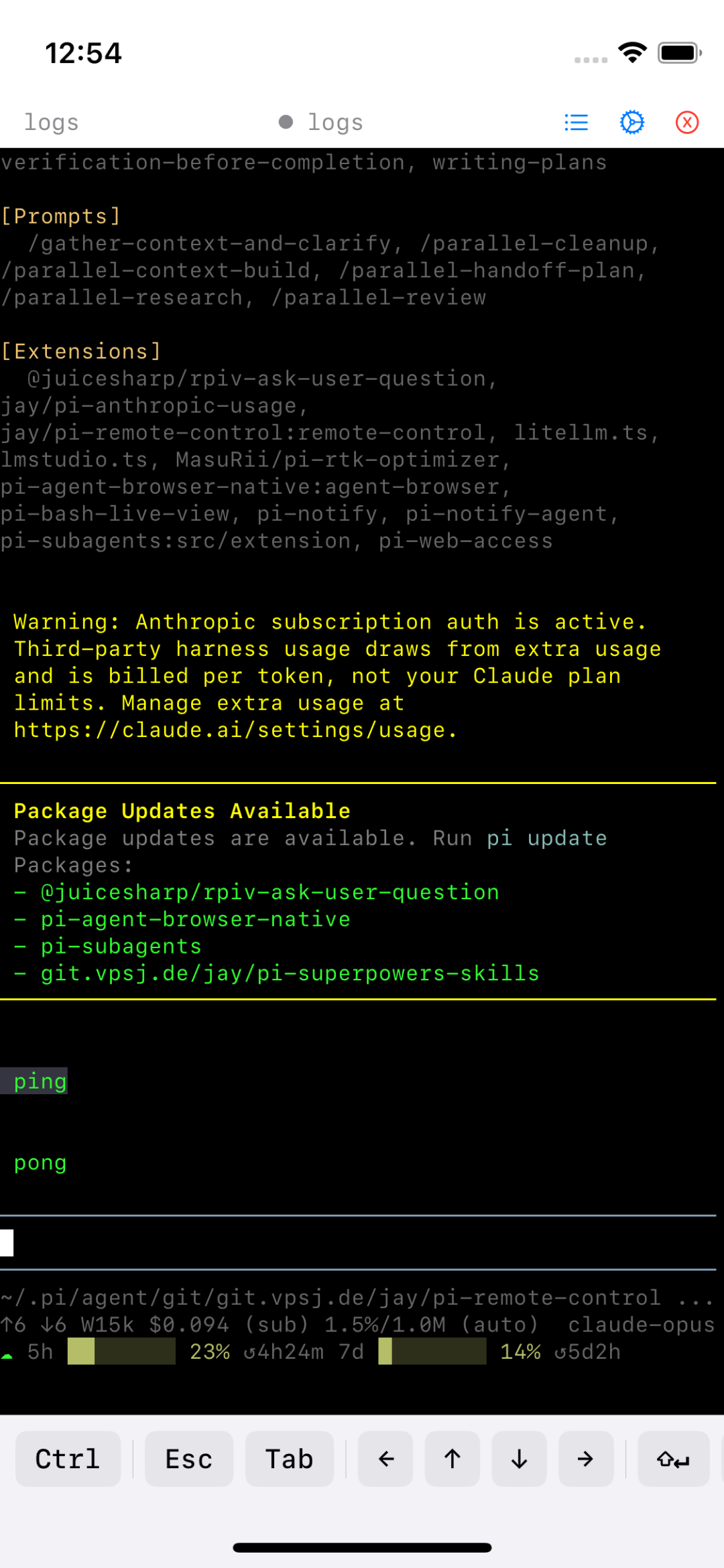 |
| After tapping Settings | 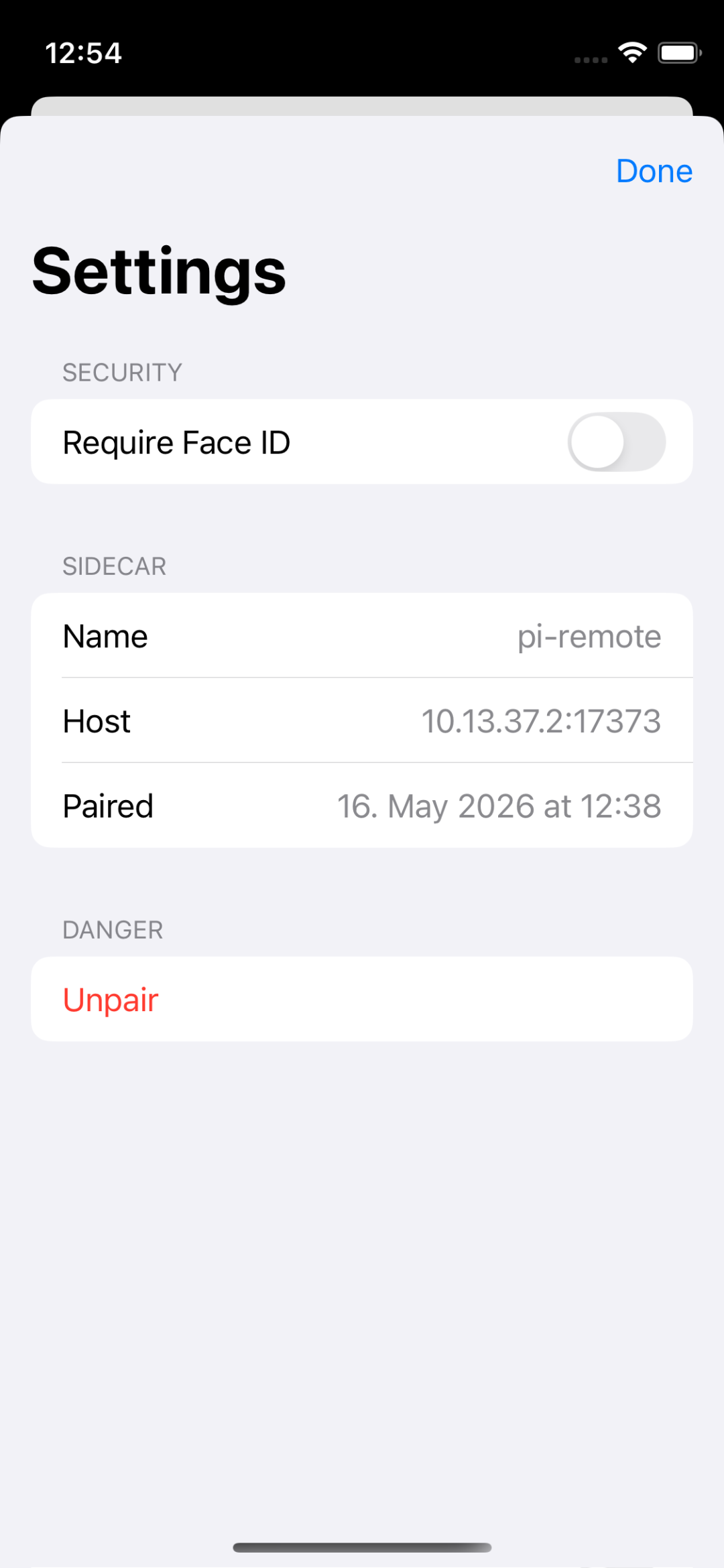 |
| Before typing | 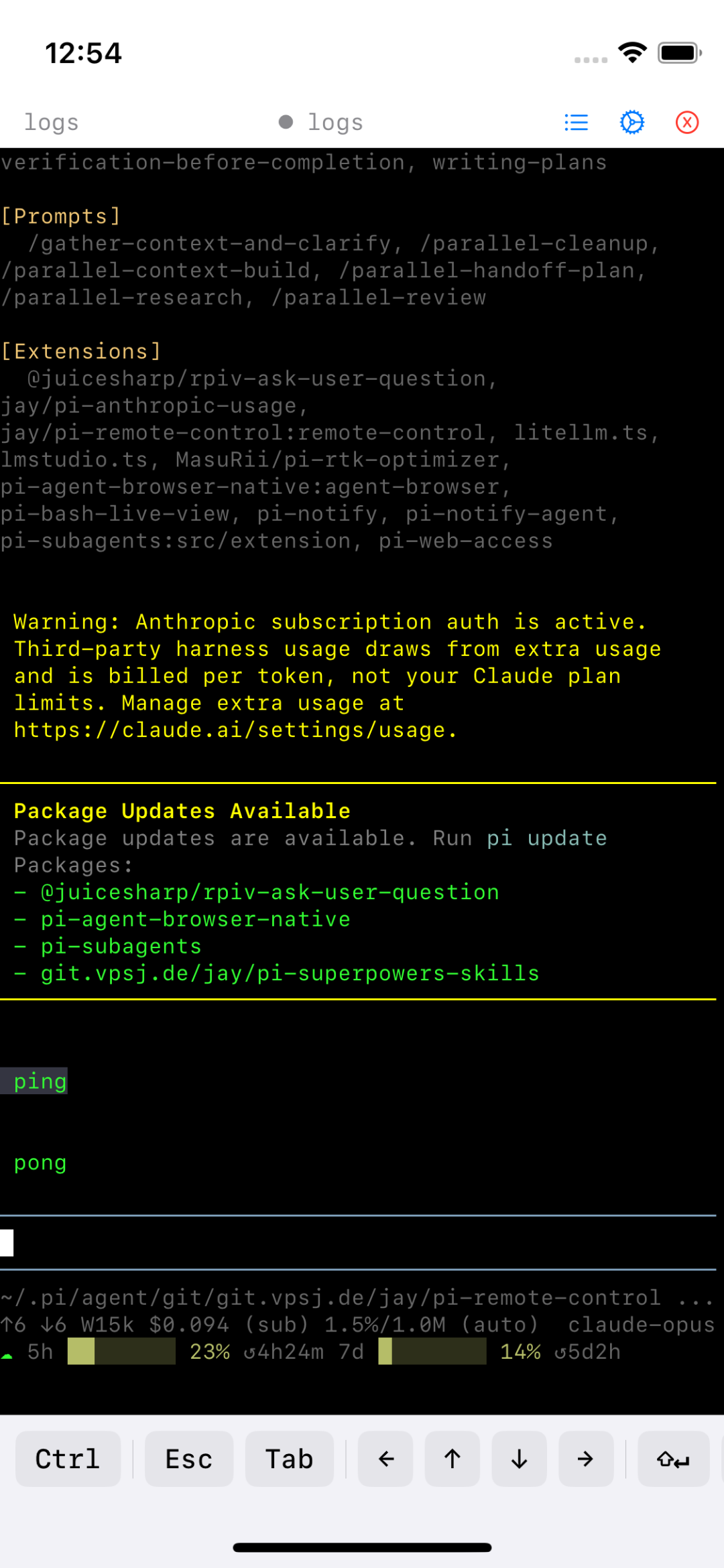 |
| After typing "echo hello_idb_test" | 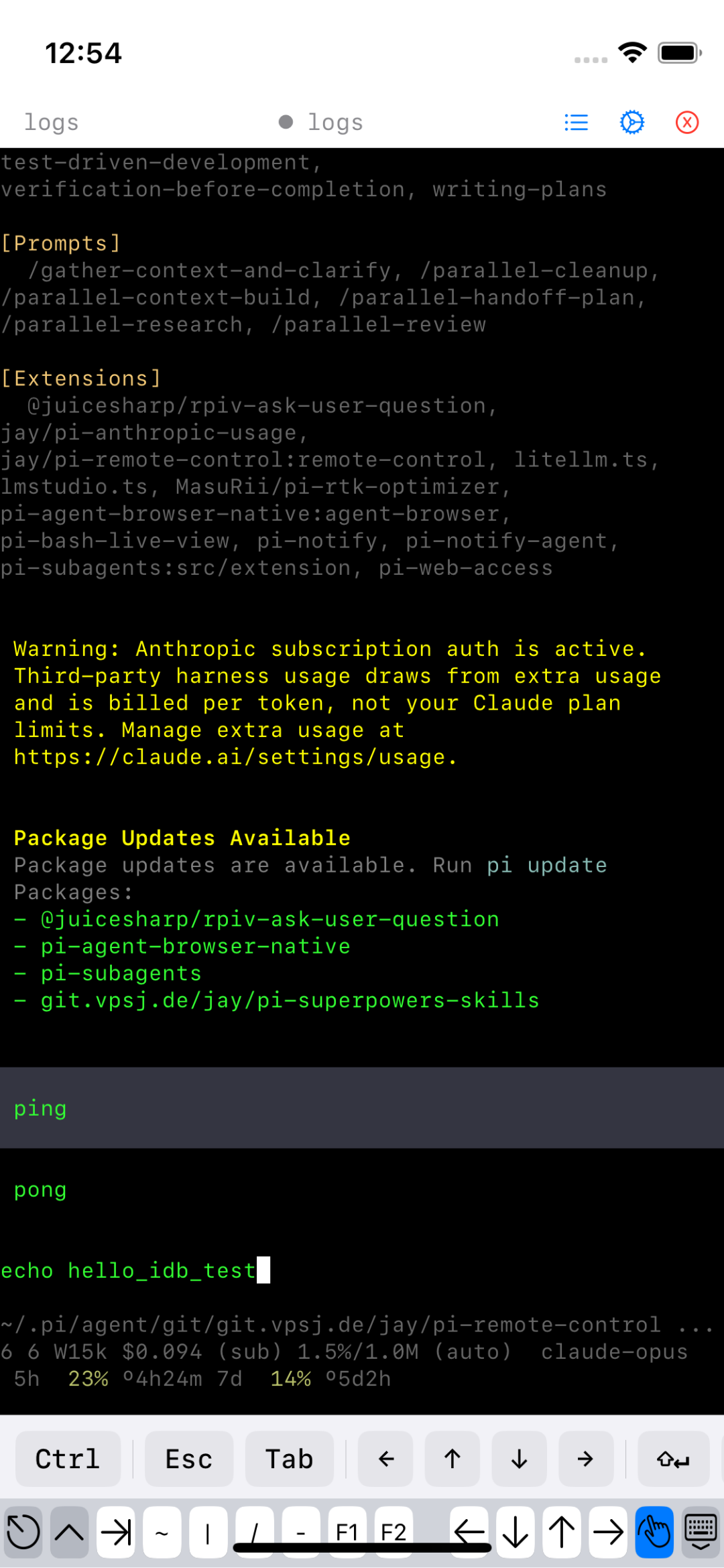 |
| Before scroll | 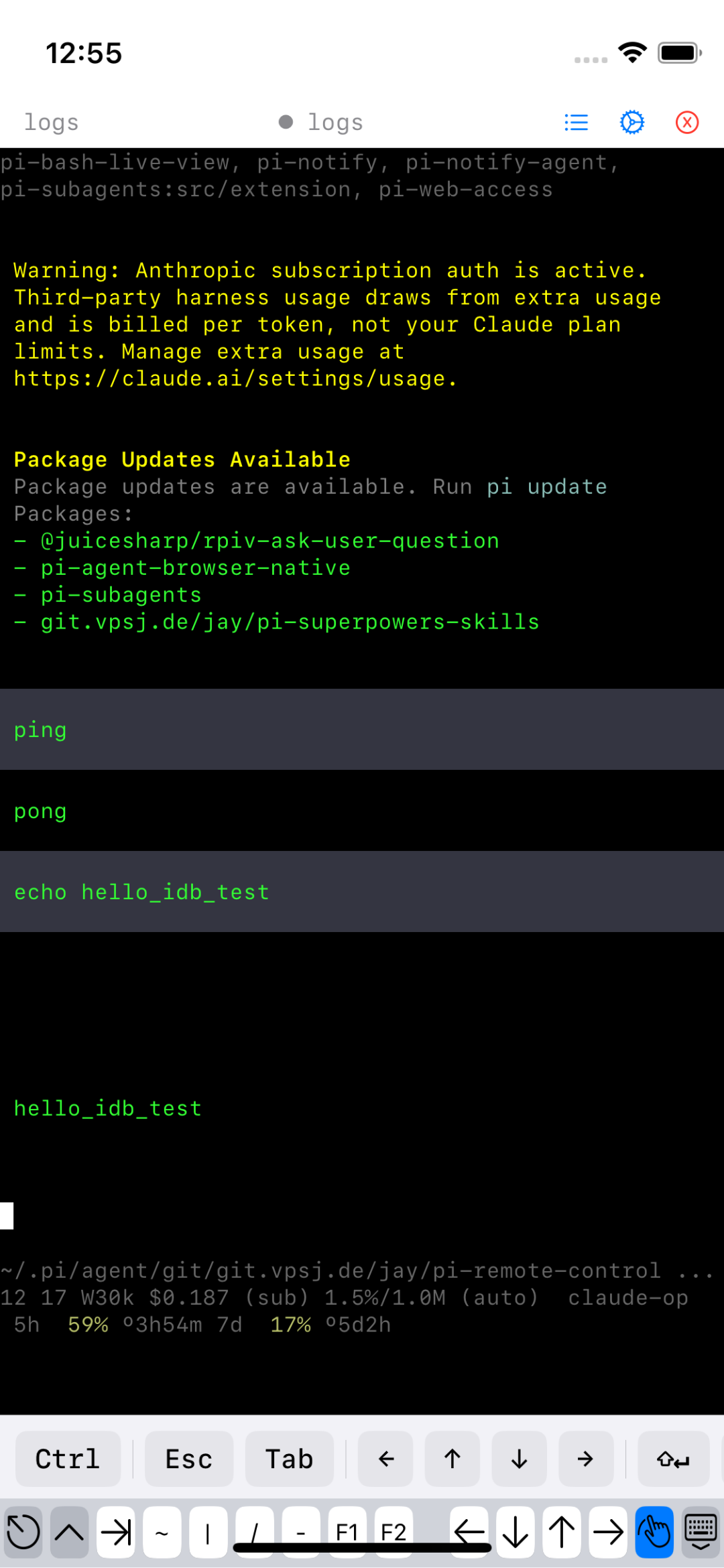 |
| After scroll (shows "hello_idb_test" output) | 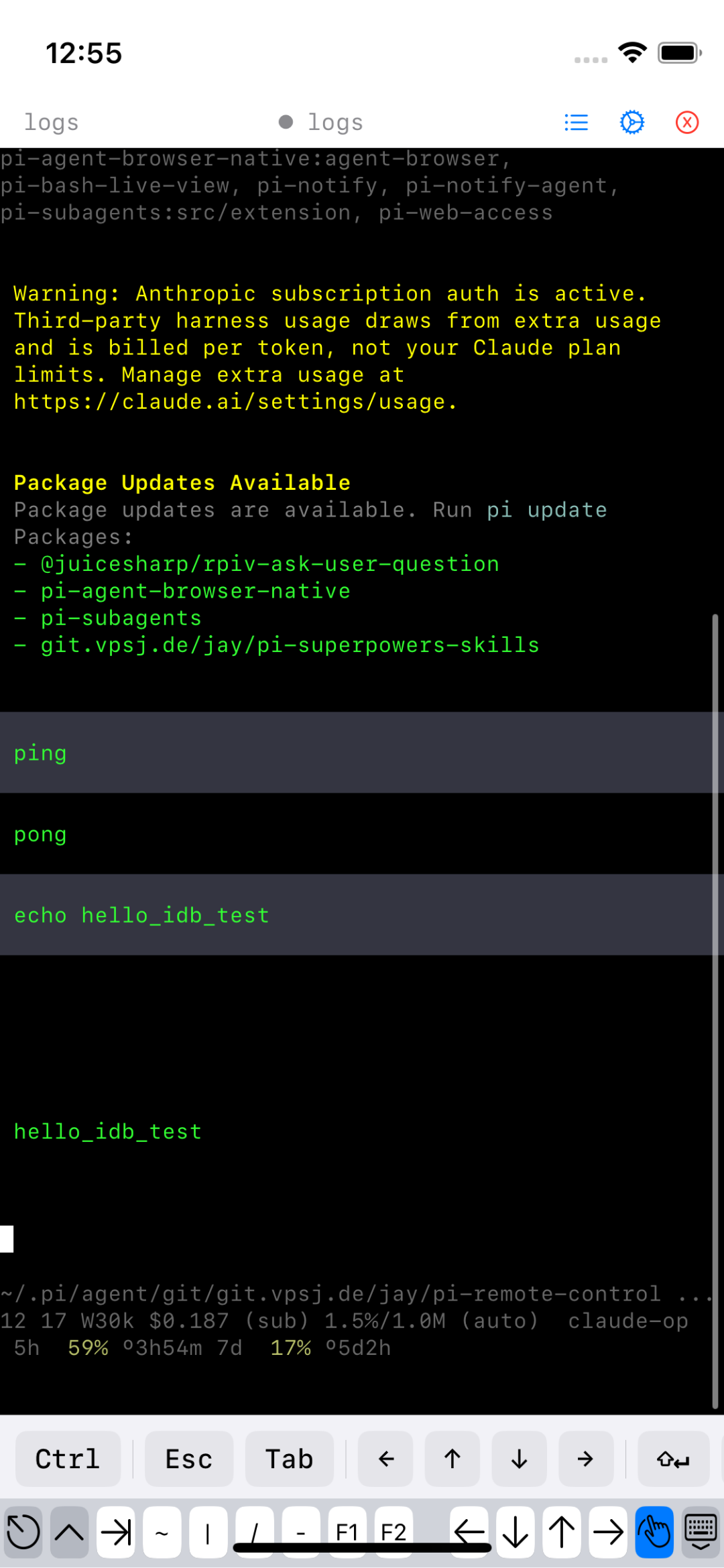 |
| Deep link — no prompt | 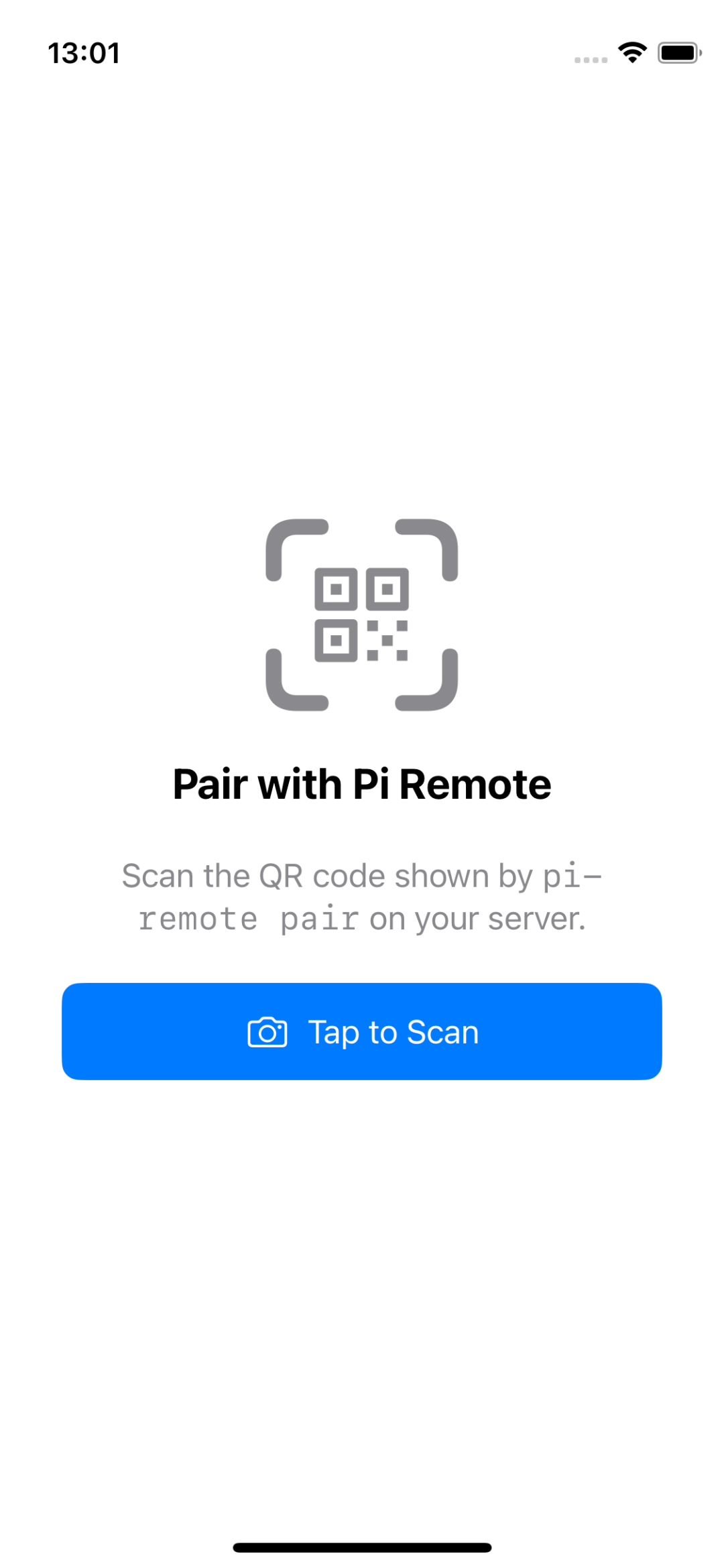 |
Known Gotchas
1. Python version for idb CLI
idb (the Python client) uses asyncio.get_event_loop() which was deprecated
in Python 3.10 and raises RuntimeError in 3.14. Always run it from a
Python 3.12 venv:
python3.12 -m venv /opt/idb-venv
/opt/idb-venv/bin/pip install fb-idb
2. idb_companion must be started first
The idb_companion process acts as a gRPC server for the simulator. Start it
before any idb client calls:
idb_companion --udid $SIM &>/tmp/idb.log &
sleep 2
idb connect localhost 10882
If you forget, idb commands silently return empty results.
3. Terminal text not in accessibility tree
piRemote's terminal (SwiftTerm) renders text via CoreText/Metal, not via
UILabel. Therefore idb ui describe-all returns an empty AXValue for the
terminal's TextArea node. You cannot assert terminal text content via
accessibility.
Workarounds:
- Visual: compare screenshots (e.g. use
tesseractormlx_vlmfor OCR) - Programmatic: query Sidecar's REST API (
http://10.13.37.2:17373) - Add an
accessibilityValueto the SwiftTerm view (requires source change)
4. URL-scheme confirm prompt
xcrun simctl openurl routes through SpringBoard directly and never shows
a "Open in piRemote?" confirmation. That prompt only appears when:
- Safari (or another app) navigates to the custom URL scheme
- There are multiple apps registered for the scheme
In the simulator there is usually only one app per scheme, so even Safari
navigating to pi-remote:// opens it promptly. If you do need to test the
confirmation dialog, open a page in Safari that links to the URL scheme (using
an HTML <a> tag) and tap the link.
5. xcrun simctl privacy requires Booted sim
The privacy grant/revoke subcommand fails with "Operation not permitted" on
some protected services (e.g. notifications). Use privacy reset to force
re-prompting or privacy grant for services that support it (photos, location,
contacts, microphone, etc.).
6. Simulator must be focused / visible for some touch events
idb injects events through the Simulator framework (not host-OS mouse clicks), so the simulator window does not need to be in the foreground. Events work even when another macOS window is on top.
7. describe-all returns flattened, not nested tree
The output of idb ui describe-all is a flat JSON array. Parent/child
relationships are not directly encoded. If two elements have the same AXLabel,
sort by proximity to expected coordinates.
8. idb_companion version vs Xcode version mismatch
Homebrew's idb_companion was built against an older Xcode (Aug 2022). On
Xcode 16.4 it still works for all tested operations but may miss newer
simulator features. The warning about "Xcode 16.4 being outdated" is from
Homebrew's Tier 2 support and can be ignored.
What Was NOT Verified
| Feature | Status |
|---|---|
XCUITest via xcodebuild test |
Not tested — requires adding a test target (source change) |
| WebDriverAgent / Appium | Not tested — complex setup; overkill for shell-based automation |
| AppleScript + System Events | Not tested — requires granting host-OS accessibility; slow |
idb ui describe-point for filled coordinates |
Partially — returns empty element when no accessible element exists at exact point |
| Terminal text assertion via accessibility | Does NOT work — custom renderer |
xcrun simctl privacy for notifications |
Fails on iOS 18.6 with "Operation not permitted" |
| URL scheme confirm prompt via Safari link click | Triggers SpringBoard directly with no prompt in practice on iOS 18 sim |